
Visual competitor research
Close the 15 tabs. Their pages, marked up and ready to present.
Paste a few competitors and say what you’re after. Stravue captures the pages that answer it, desktop and phone, and drafts Comments for you to check. Turn on watching and you’ll know what they changed before your boss or client asks.
What are you capturing?
Sites
Ask
Works on most sites. A few big retailers block automated visits. If yours does, you’ll get an honest “couldn’t reach it,” never a made-up report.
Name the competitors, then ask in plain words.
1 of 7From one sentence
Say what you’re after
Paste a competitor or ten, then ask in plain words, like you’d brief a colleague. That’s the whole setup. You can close the fifteen tabs.
Sites
Ask
 Figmafigma.comWaiting for the Ask
Every page, every device
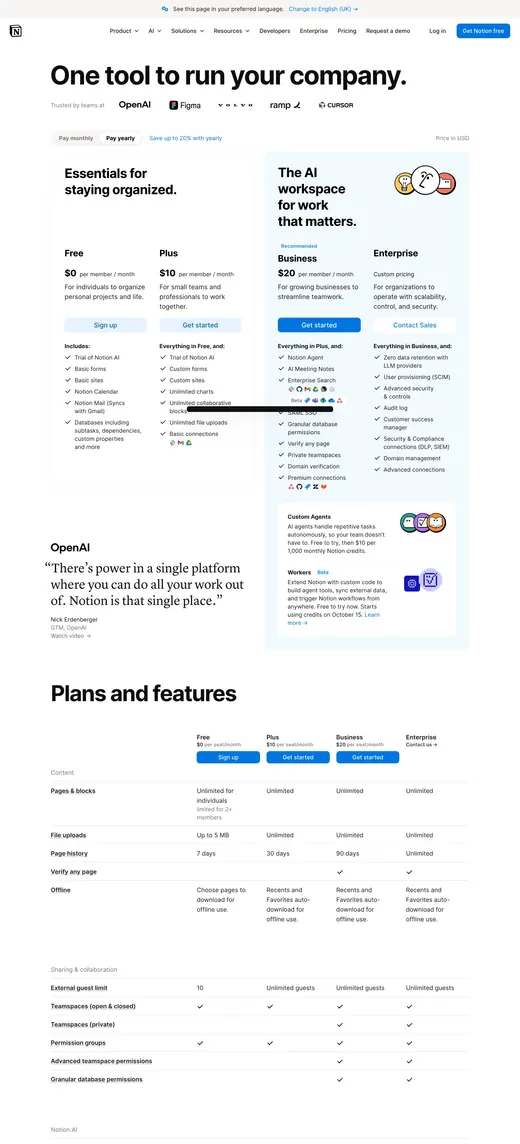
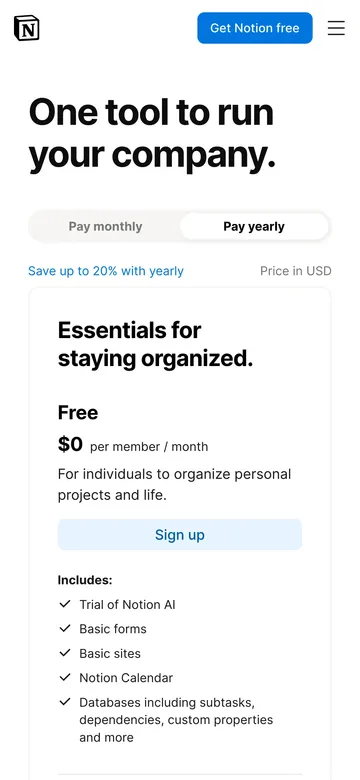
Captured clean, desktop and phone
Every page lands full length and spotless, cookie banners already gone. A blocked site gets an honest no, never a made-up shot.
- Full length, one image
- Both devices, one run
- Filed as they land
On the canvas
It opens already annotated
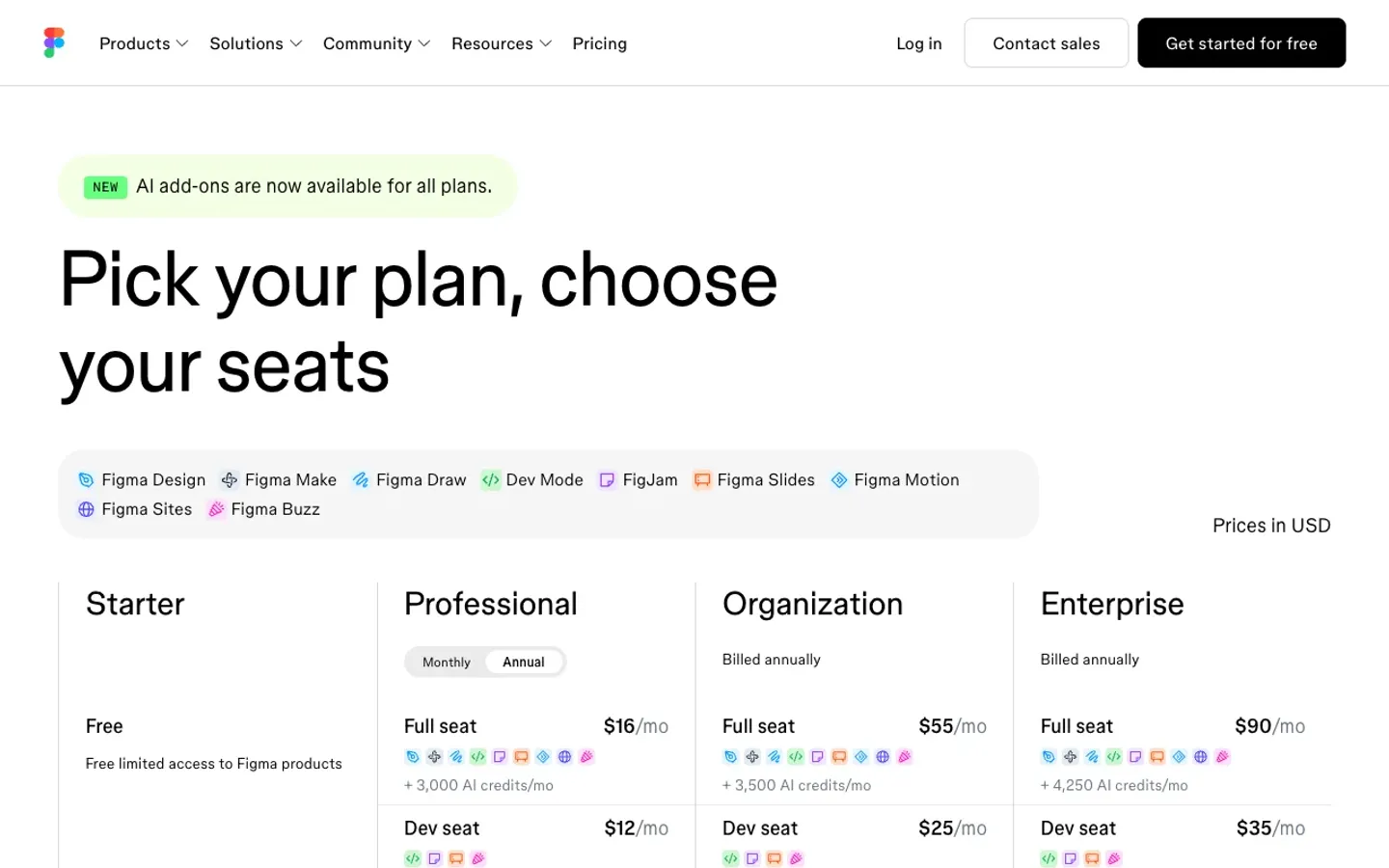
Every slide arrives with numbered Comments and a one-line Overview, grounded in what the page actually says. Amend them, bin them, or keep the lot. Most of the work is done before you sit down.
 1234
1234OverviewFour plans tier pricing by seat type and AI credits, with monthly or annual billing on Professional and above.
Comments · 4
The Comparison Slide
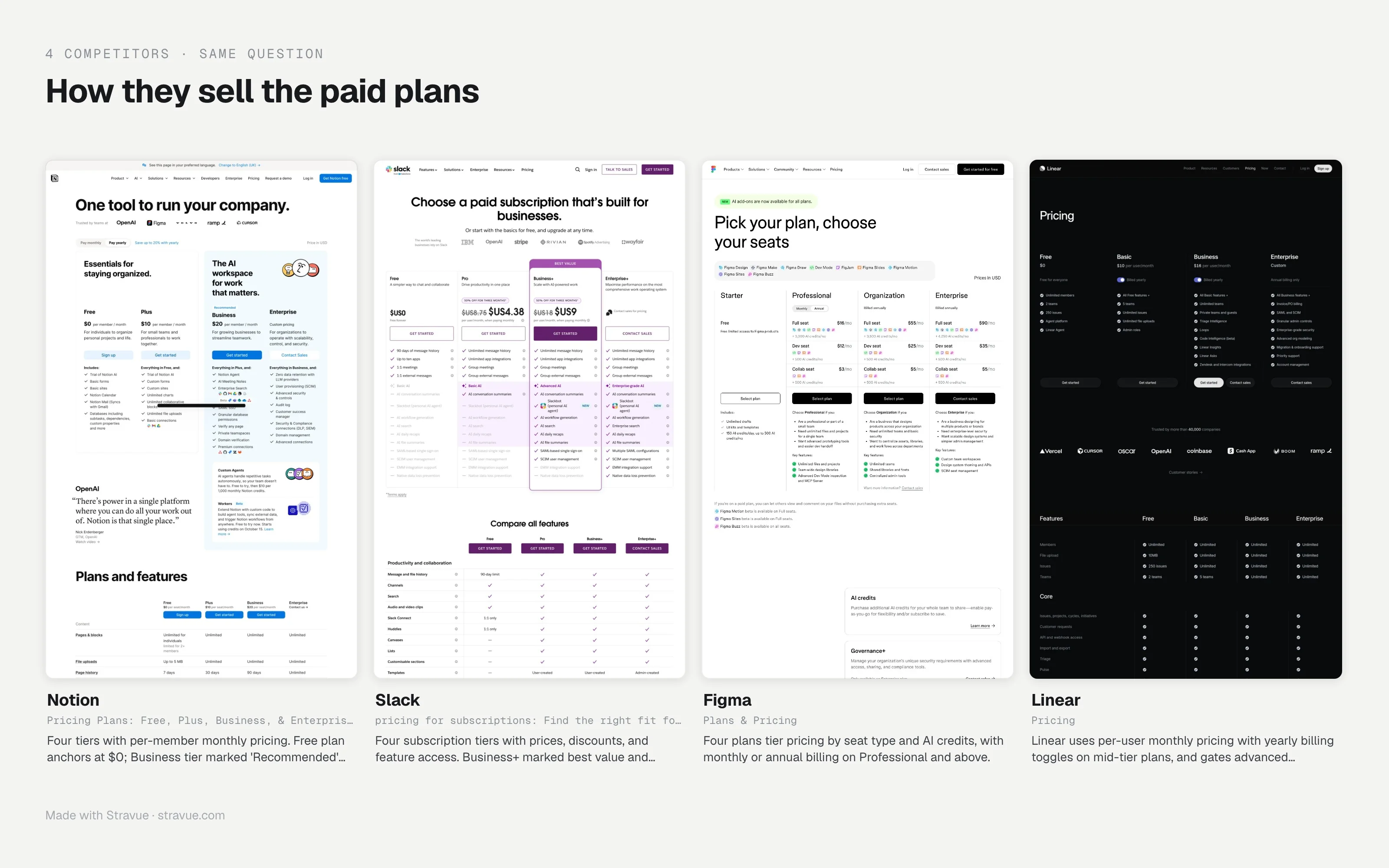
Every competitor on one slide, at the same scale
One question, two to six competitors, one picture. It opens the deck as slide two, so the room sees the whole market before the detail.
Rendered by Stravue · slide two of the deck
4 Overviews, each drafted from its competitor’s page and printed under its column.
Out the door
Your judgement goes on top
Sharpen the Comments, add your own calls, then send it as a deck, a PDF or a link, straight from your phone if you’re already moving. It reads like a week of work. The thinking stays yours, and that’s the part they pay you for.
Deck (.pptx)
A deck, one slide per captured page
Your Comments and Overviews on every slide, the Comparison Slide second. It opens in PowerPoint, Keynote and Google Slides.
2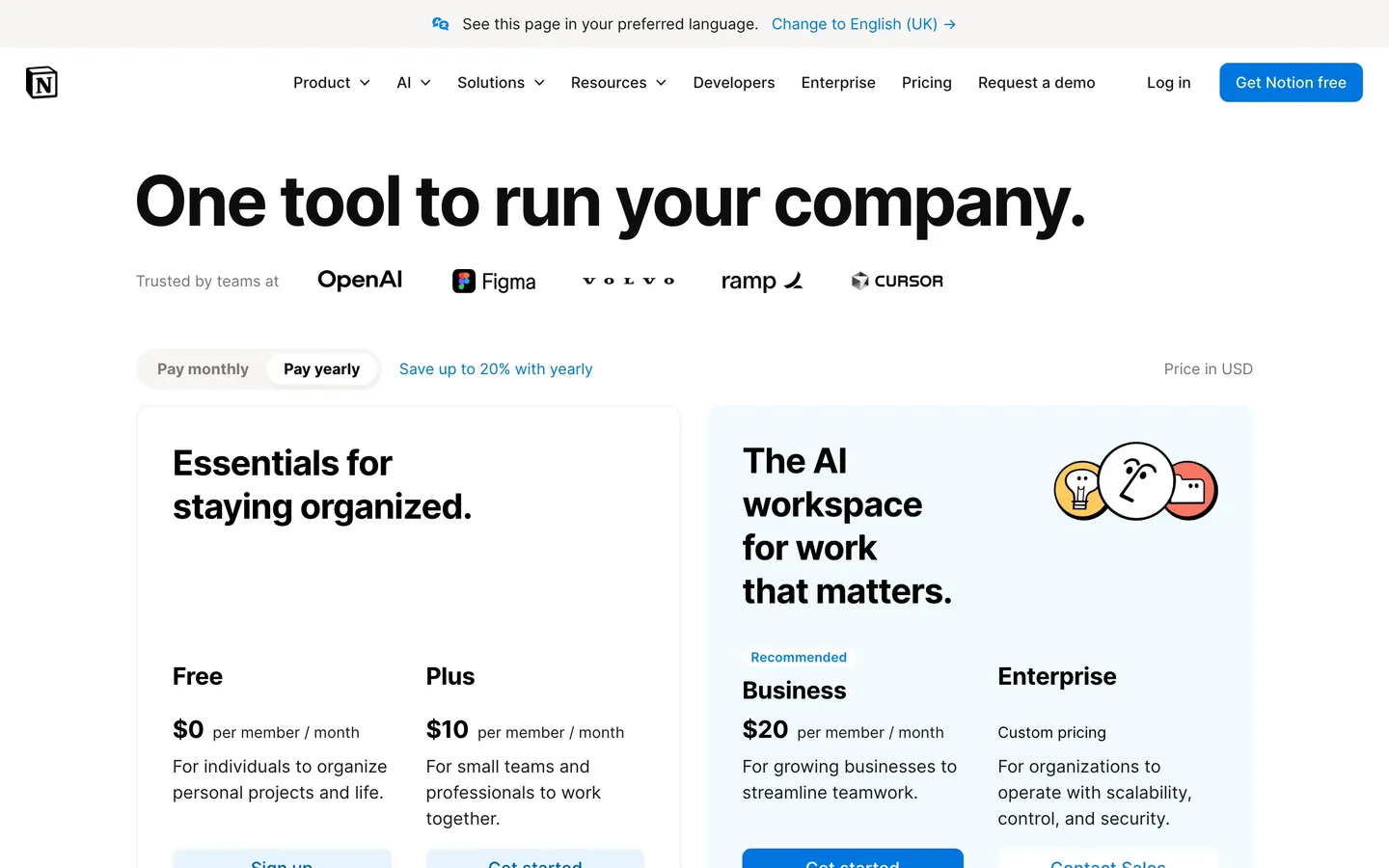 3
3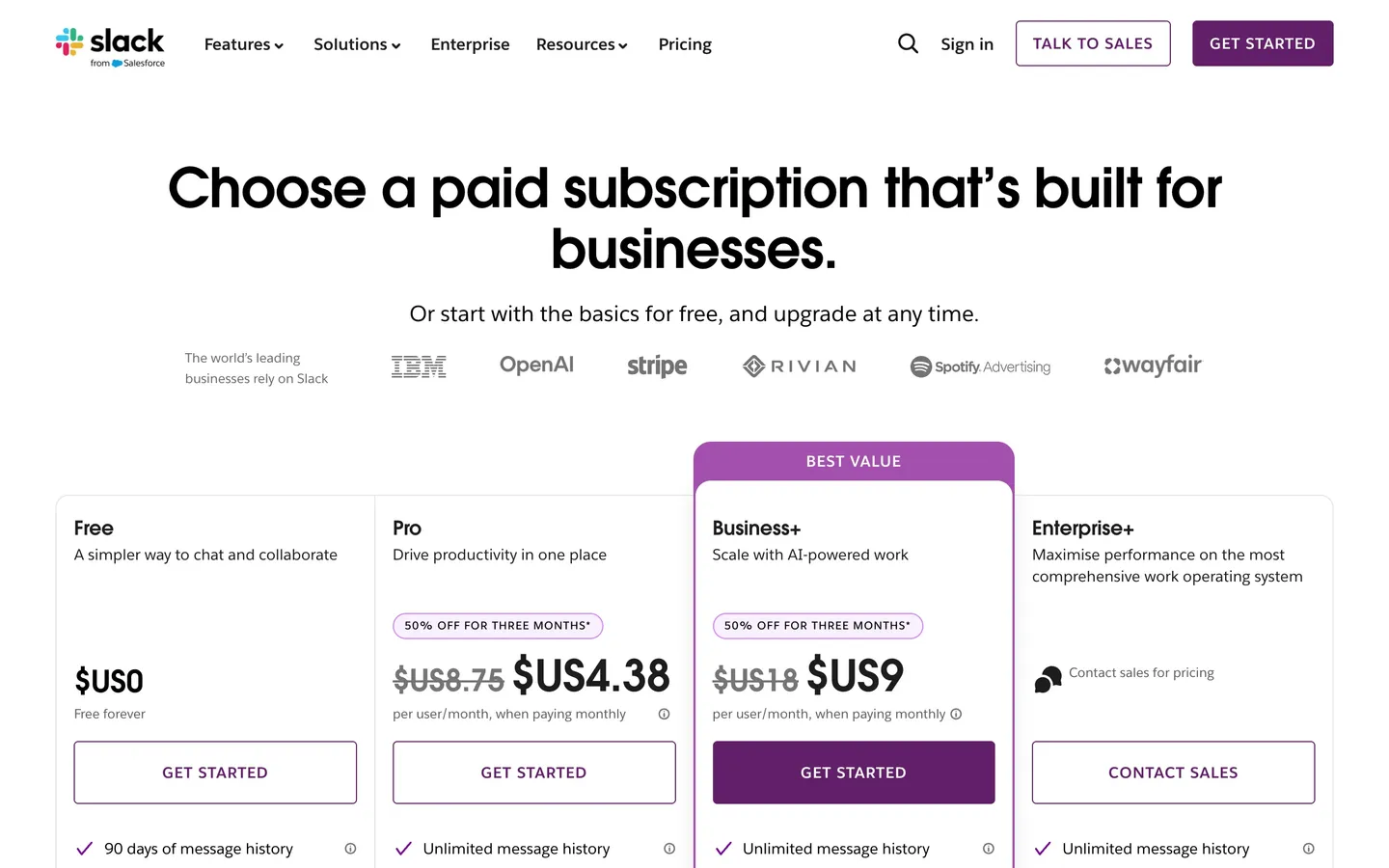 45
45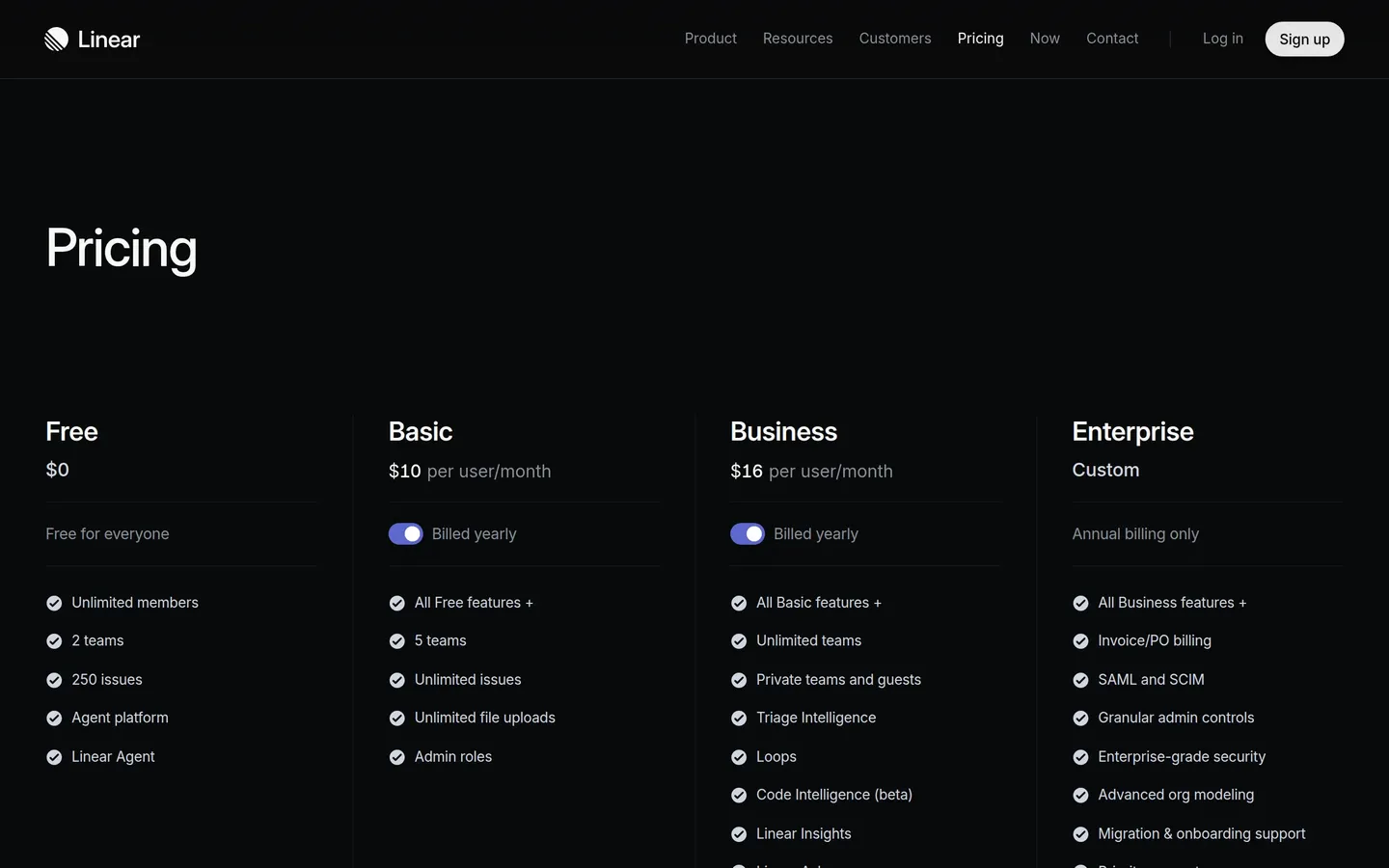 6
6Pricing research.pptx · 12 slides
Share link
A link anyone can open
Read-only, and no account needed. Send it to the client who never opens attachments.
Pricing research2 / 12
Read-only · no account needed
Research bundle (ZIP)
The pages, for your own AI
The pages plus your Comments, ready for ChatGPT or Claude. START-HERE.md tells the assistant what it is looking at before it reads a word.
slack-com-research.zip
- START-HERE.md · read me first
- RESEARCH.md · every page, its Comments, its words
- 01-slack-pricing-for-subscriptions-find-the-desktop.jpg
- 01-slack-pricing-for-subscriptions-find-the-mobile.jpg
- 02-slack-paid-vs-free-slack-desktop.jpg
- 02-slack-paid-vs-free-slack-mobile.jpg
Screens, desktop and phone · RESEARCH.md · START-HERE.md
Watching
Never get caught off guard
Turn on watching. The day a rival changes their pricing tiers, or any content you’re tracking, the before and after is waiting as a ready-made slide. You walk in already knowing.
Page heading changed from 'Pick your plan, choose your seats' to 'Pricing and plans'
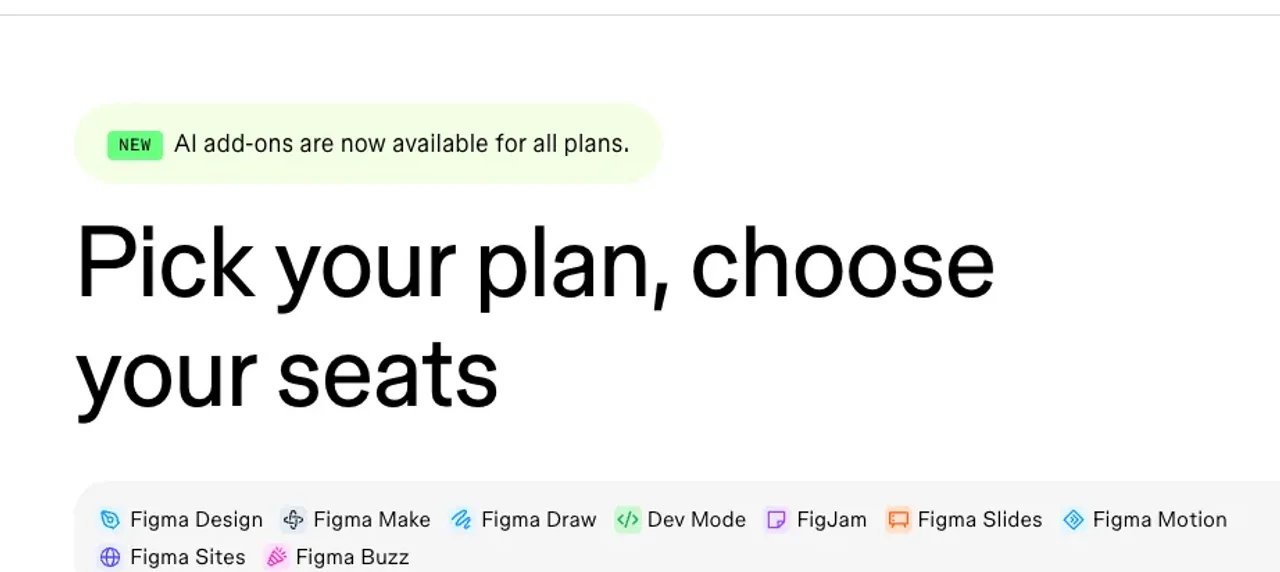
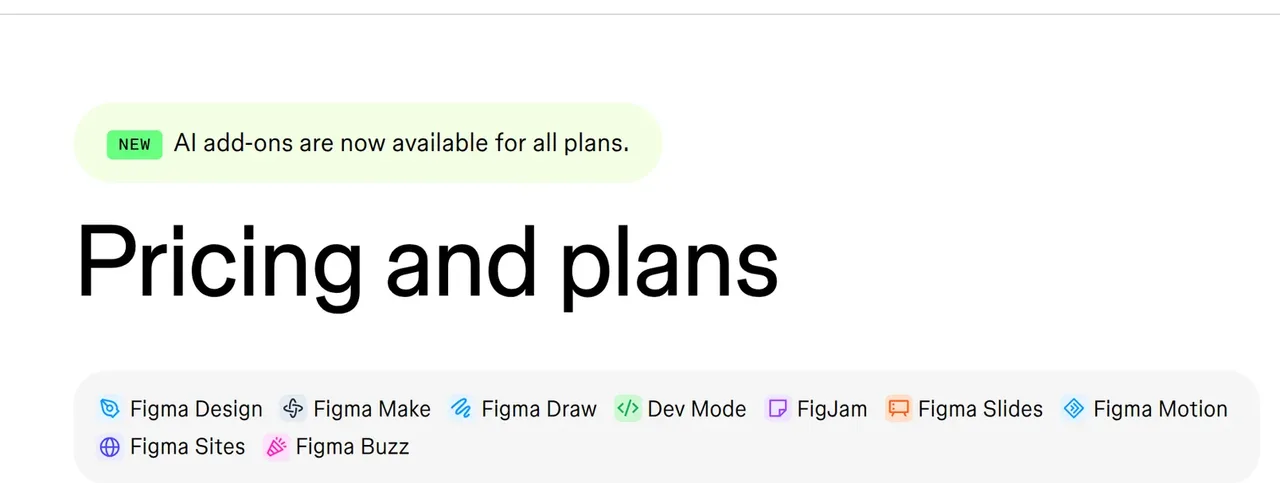
Found by the daily check · described by Stravue · figma.com/pricing
Start from a question
Ask a different question, get different pages
The same four sites, five questions. These are the pages Stravue picked for each one, out of 2,199, with its own reason beside every pick.
 Notion2 picked · 60 read
Notion Pricing Plans: Free, Plus, Business, & Enterprise.
/pricing
Pricing plans and features overview
Notion introduces expanded Free Plan & new Business Plan
/blog/notion-introduces-business-plan-and-expanded-free-plan
Blog post on Free and Business plans
 Slack2 picked · 60 read
Slack Pricing Plans: Find the Right Fit for Your Team | Slack
/pricing
Pricing plans page with tier options
Slack Paid vs. Free | Slack
/pricing/paid-vs-free
Paid vs free plan comparison page
Figma3 picked · 60 readPlans & Pricing | Figma
/pricing/
Pricing plans and tier comparison
Design needs everyone: new plans for companies that design together | Figma Blog
/blog/design-needs-everyone-new-plans-for-companies-that-design-together/
Blog post on new pricing plans
About Figma’s new Starter plan | Figma Blog
/blog/about-figmas-new-starter-plan/
Blog post on Starter plan details
 Linear2 picked · 60 read
Pricing – Linear
/pricing
Pricing page with tier details
An AI product system for modern enterprises
/enterprise
Enterprise plan and features
Picked by Stravue on 15 Sep · the real picker, unedited
Try your own question freeOne research week
What a week looks like with Stravue
Friday afternoon, four competitors and one question. By Monday morning the deck has gone out and the first Change is already waiting.
The week, in numbers
- slides captured
- 10
- slides captured
- competitors
- 4
- competitors
- Comment rewritten
- 1
- Comment rewritten
- Change caught
- 1
- Change caught
A demo week, built from real captures. Press any moment to watch it in the demo.
Pricing
Pick the plan that fits.
Start solo or scale to an agency, no free tier. Today’s price locks in while you stay, so pick a plan and talk to us.
Pro
For a solo designer or marketer.
$39/mo
Billed monthly.
- 60 captures a month
- Watch 3 competitors for changes
- Clean full-page shots, desktop and phone
- Share links and PDF reports
$39/mo · cancel anytime
StudioMost popular
For a team doing real research.
$79/mo
Billed monthly.
- 300 captures a month
- Watch 15 competitors for changes
- Compare competitors side by side
- Your logo on every export, not ours
- Everything in Pro
Agency
For agencies presenting to clients.
$199/mo
Billed monthly.
- 750 captures a month
- Watch 30 competitors for changes
- Room for every client's competitors
- Everything in Studio
7-day money back. Not for you? Email us within 7 days of paying and we'll refund you in full. No reason needed.
Cancel anytime. Billing handled securely by Stripe.
FAQ
Fair questions.
What is Stravue?
Stravue is a competitor research tool. Paste a rival's website and what you're after, and it captures the matching pages as clean full-page screenshots on desktop and phone, ready to annotate with comments and export as a deck, PDF or share link.
How is this different from taking screenshots myself?
Capturing one competitor by hand means an hour of tabs: shoot each section, stitch the pieces, repeat at phone width, crop out cookie banners. Stravue does the whole capture in minutes, full-page and clean, and keeps everything organised for the deck.
Does AI write the analysis?
No. Automation finds and captures the pages; the thinking stays yours. You pin the comments and write the notes, which is exactly why the deck holds up in front of a client or a team.
What does Stravue cost?
Pro is $39 or £29 a month for a solo designer or marketer. Studio is $79 or £59 for teams and puts your own logo on exports, and Agency is $199 or £149 for agencies. Billing starts when you subscribe, and there is no free tier. Cancel anytime, and if the first week isn't what you expected, email us and we'll refund you in full.
Can it tell me when a competitor changes something?
Yes. Watches check chosen competitor pages on a schedule and surface real changes with the before and after already captured, so a pricing move or repositioning becomes a slide, not a surprise.
What is Stravue not?
Not analytics, not rank tracking, not user testing. Stravue captures what any visitor can see on a public website and stops there. It does not log in, bypass paywalls or collect personal data.

Your next competitor deck is minutes away.
Get startedFrom $39/mo. Cancel anytime, 7-day money back.
Not sure yet? Capture three pages free on any site you know. No account, no card.